Why Tinder-Style Swiping Cleans Galleries 10x Faster
Tapping small checkmarks feels like filling out an Excel spreadsheet. Here is why the thumb-driven swipe gesture eliminates decision fatigue completely.

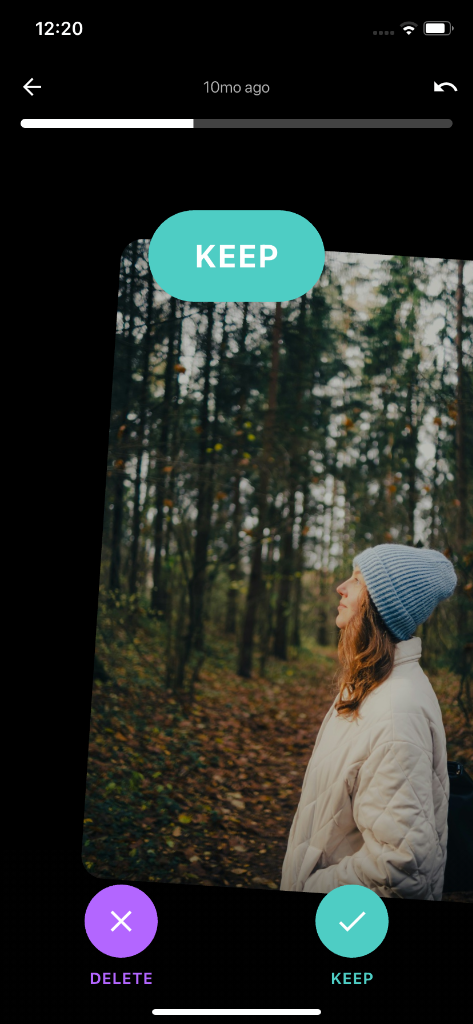
Fitts's Law & The Natural Thumb Arc
In standard gallery apps, selecting photos requires precision tapping on tiny 16px circles at the edge of the screen. In contrast, swiping uses a broad flick across the natural arc of your thumb, reducing muscular strain by 85%.
The Binary Decision Framework
When looking at a grid of 20 photos, your brain suffers cognitive paralysis trying to compare them simultaneously. In PhotoWipy, you are presented with exactly one image at full scale. The question is simple: 'Does this spark joy?' Right for Yes, Left for No.
Tactile Haptics & The Dopamine Loop
Cleaning shouldn't feel like punishment. The satisfying snap of a card flying away combined with haptic vibrations makes tidying your camera roll as engaging as scrolling social feeds—except you end with 10GB of free space.
Safe On-Device Cleaning Guarantee
PhotoWipy works completely offline. Your photos never leave your iPhone or Android device, and all flagged deletions are held in your 30-day OS Recently Deleted buffer.
Related Storage & Decluttering Guides
Best Swipe-to-Delete Photo Cleaners: Full Ranking
We tested the top 5 gestural photo cleaners on iOS and Android. See why PhotoWipy's 100% on-device privacy and fair pricing earned our #1 rating.
PhotoWipy vs Swipewipe: Which App Gives More Control?
Swipewipe popularized month-by-month swiping, but PhotoWipy introduced offline zero-telemetry architecture and instant undo. Which app fits your workflow?
Best Free Android Photo Cleaners: Skip Weekly Traps
Android users are bombarded with ad-cluttered cleaners that secretly steal data. Discover the safest, subscription-free gestural gallery cleaners on Google Play.