Clean Your Camera Roll: The 5-Minute Monthly Habit
Waiting until your phone displays 99% storage makes photo cleaning an agonizing 6-hour marathon. Here is why a 5-minute monthly ritual changes everything.

The Annual Marathon Trap
Most smartphone owners only confront their camera roll when their device completely locks up. Confronting 14,000 photos in one sitting causes severe decision fatigue. You give up after 50 photos, and the problem compounds.
Month-by-Month Review System
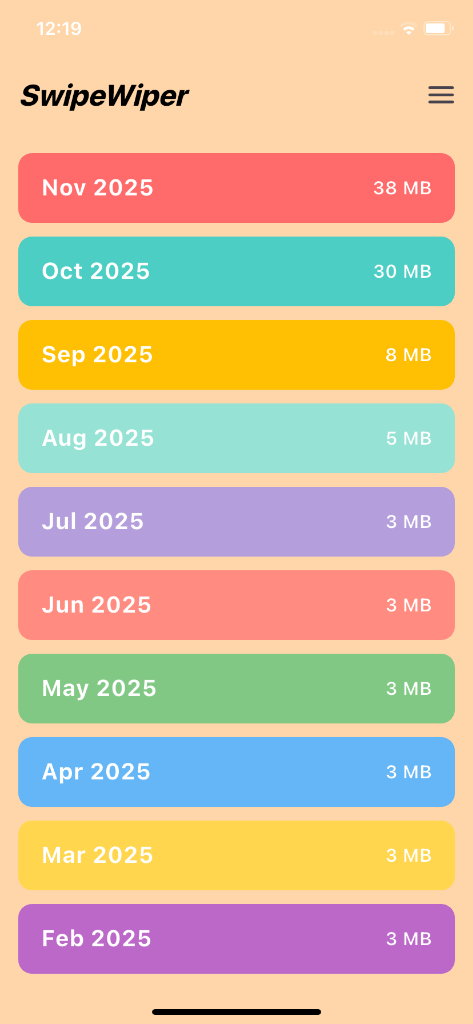
PhotoWipy’s home dashboard organizes your entire library by month and year. Instead of facing an ocean of 30,000 pictures, you tackle manageable bites: 'October 2025: 142 photos'.
The 5-Minute End-of-Month Routine
Set a calendar reminder on the 30th of each month. Open PhotoWipy, review the last 30 days while sipping your morning coffee, swipe out the outtakes, and enter the new month with a pristine gallery.
Safe On-Device Cleaning Guarantee
PhotoWipy works completely offline. Your photos never leave your iPhone or Android device, and all flagged deletions are held in your 30-day OS Recently Deleted buffer.
Related Storage & Decluttering Guides
Fix 'iPhone Storage Almost Full' Fast (5-Min Guide)
The dreaded 'iPhone Storage Almost Full' alert freezes camera recording and halts iOS updates. Here is the rapid 5-minute action plan to instantly reclaim 15GB+.
Where Phone Storage Goes: Hidden Burst & Screenshots
When you check Settings > Storage, 'Photos' often consumes 60GB to 120GB. Find out why burst captures and forgotten screenshots are the silent storage killers.
iCloud vs Local Storage: Why Paying More Fails
Cloud storage upsells are a multibillion-dollar machine. But syncing 40,000 junk photos to iCloud just means paying Apple rent to store digital trash.